
NOTE: The tester will take a few moments to respond when powered up for the first time.
Please also take a look at the CPX-955 Unboxing and Setup video to quickly get started: Product Unboxing – Subaru EU CPX-955
Display
Country: Select the country you are located in.
Language: Select the analyzer default standard language.
Temperature Units: Select the default temperature units (Fahrenheit / Celsius) used when measuring battery temperature.
Number Separator: Select the default display using comma or period separators.
Tap NEXT to continue.
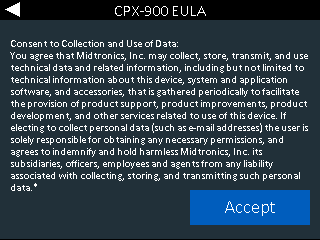
Data Collection Consent
Select Accept to Consent to Collection and Use of Test Data.
Date & Time
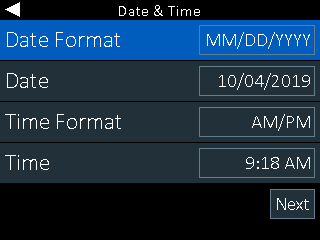
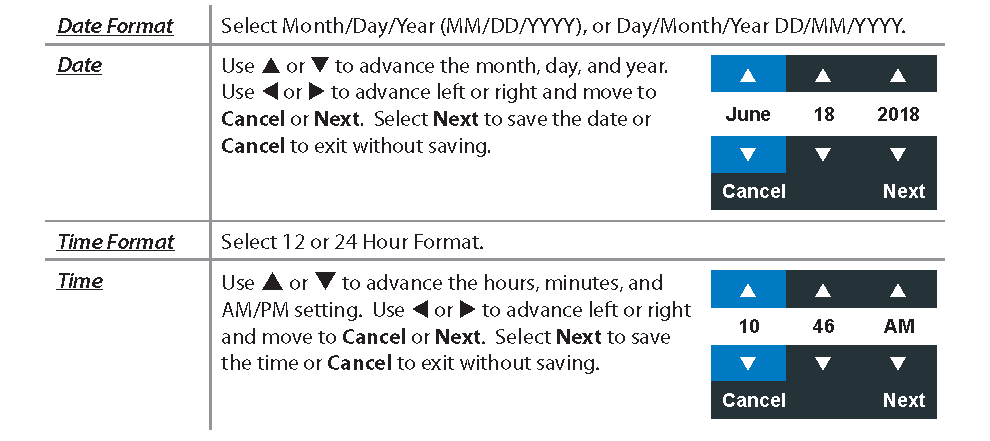
Use 
to return to the Display Menu.
WiFi Settings
Set up the tool’s WiFi connection. For more information, see Network in SETTINGS.
IMPORTANT: The CPX-900 will not connect to an enterprise network with a user login landing page.
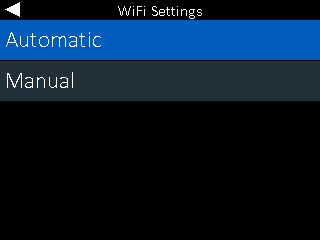
Automatic: The tester searches for any detectable WiFi networks. Select a displayed network on the tester screen.
Manual: Manually enter Security, SSID, Password and Encryption information.
Use

to highlight the characters on the displayed keyboard;
and press

to select.
Dealer /Store ID
Enter your Subaru Dealership ID and press Save.
Shop Settings
Enter your workshop information here (can be changed later as well)
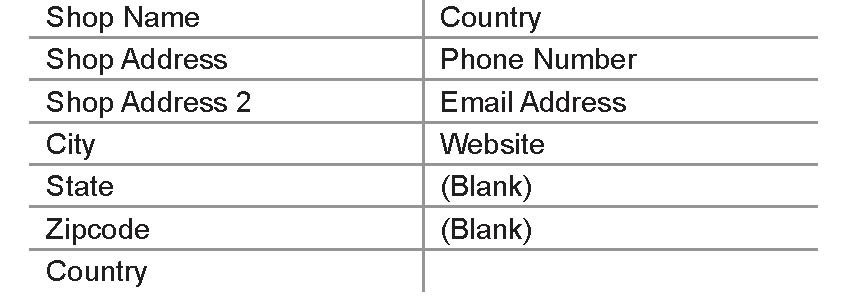
With the displayed alphanumeric keypad, use
to highlight the desired alphanumeric character. Select

to access the lower case and symbol character maps.
Once all of the alphanumeric characters have been entered, select Save or Esc to exit without saving.

